Grammar and technology have an unusual relationship: technology produces language faster than any dictionary can record it, and it does so within the grammar that English already has. When people began to google a question, text a friend, email a report, or friend a stranger, they used the oldest process in English, the conversion of a noun into a verb, and the new verbs took the ordinary endings (googled, texting, emailed). New nouns (podcast, selfie, hashtag) joined the language by compounding, blending, and clipping. Old words (cloud, mouse, stream, cookie) took on new meanings. The questions that remain for a writer are practical: how to spell and capitalize these words, how to treat them grammatically, and how to write clearly about technology for people who are not experts.
This chapter covers technology vocabulary and its formation, internet slang and its grammatical status, the capitalization of tech terms (internet or Internet, web or Web), the grammar of email addresses and URLs, hashtag grammar, screen names and usernames, and tech writing style. It treats tech grammar as the application of ordinary grammar to new material, and digital grammar as a set of conventions that change as the technology changes. The chapter touches on internet language more broadly, and its examples show how to write about technology clearly, user-friendly, and correctly. Thirty exercises and a quiz follow.
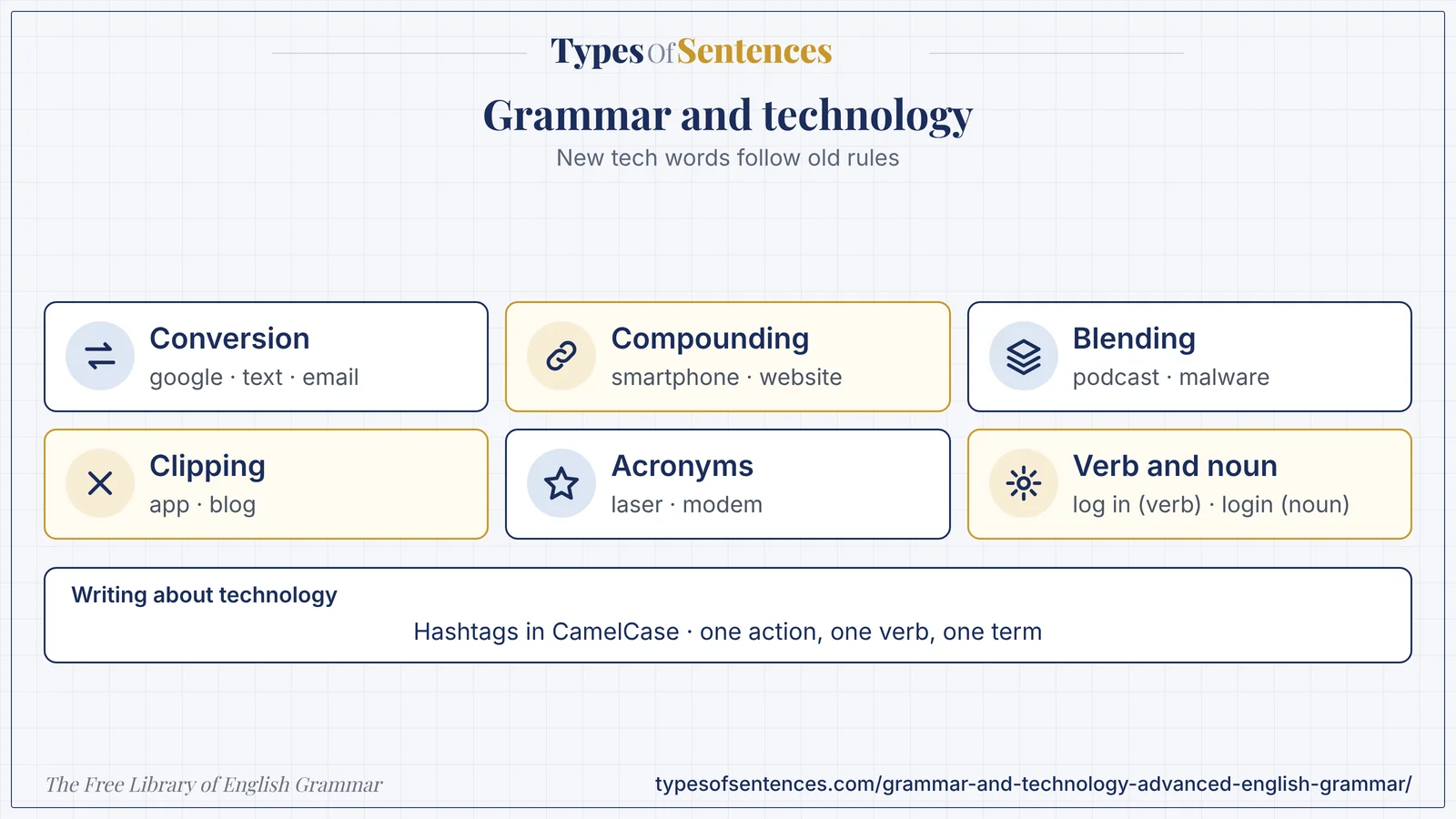
New technology words follow old rules. A noun becomes a verb (to google), two words are joined (smartphone), a long word is clipped (app), and an old word gets a new meaning (cloud). Spelling and capitalization of these words change over time, so check a current dictionary or style guide.
Why it matters: In writing about technology, be consistent, define terms for non-experts, and write instructions as short, clear steps in which one action is described by one verb.
Summary: Technology vocabulary arises by conversion (google, text, email), compounding (smartphone, website), blending (podcast, malware), clipping (app, blog, email), acronyms (laser, modem as a blend), and semantic shift (mouse, cloud, cookie, virus). Internet slang (LOL, BTW, IMHO, FOMO) functions as informal vocabulary and discourse particles, appears in some dictionaries, and is not appropriate in formal writing. Style guides now lowercase internet and web in general use, but capitalize proper names and brands (the World Wide Web, Wi-Fi, iPhone, Python). A phrasal verb is two words (log in, back up), and the noun or adjective is one word or hyphenated (login, backup). Email addresses and URLs should be written exactly, in lowercase where case does not matter, without breaking them. Hashtags are written without spaces, with each word capitalized. Technology nouns such as software and hardware are uncountable. Tech writing uses imperative steps, consistent terms, plain vocabulary, and user-focused interface text.
- New tech words follow old rules: conversion, compounding, blending.
- Verb: log in; noun: login.
- Hashtags in CamelCase; usernames as displayed.
- Tech writing: one action, one verb, one term.
What You’ll Learn
- 1. Grammar and Technology: Technology Vocabulary and New Words
- 2. Internet Slang: LOL, BTW, IMHO, and Their Grammatical Status
- 3. Capitalization of Tech Terms: Internet, Web, and Brand Names
- 4. Email and URL Grammar: Writing About Technology
- 5. Hashtag Grammar: Creating Hashtags
- 6. Screen Names and Usernames: Conventions
- 7. Tech Writing Style: Clarity and User-Friendly Language
- 8. Common Errors and a Worked Example
- 9. Exercises
- 10. Test Your Knowledge
- 11. Frequently Asked Questions
- 12. Conclusion
1. Grammar and Technology: Technology Vocabulary and New Words
| Process | Description | Examples (and notes) |
|---|---|---|
| conversion (noun to verb) | a noun is used as a verb without any change of form | to google, to text, to email, to message, to friend, to DM, to Zoom; the verbs take regular endings (googled, emailing) |
| conversion (verb to noun) | — | a download, an upload, a stream, a share, a like, a login |
| compounding | two words joined | smartphone, website, username, password, online, offline, software, hardware, database |
| blending | parts of two words joined | podcast (iPod and broadcast), malware (malicious and software), emoticon (emotion and icon), netiquette, webinar, vlog |
| clipping | a long word shortened | app (application), blog (from weblog), net, web, bot (robot), info, tech, mod, bio |
| acronym and initialism | initial letters | URL, HTML, PDF, USB, GPS, LED, ROM, RAM, CAPTCHA (a long acronym), laser, radar |
| syllabic and clipped blends | pieces of words | modem (modulator and demodulator), pixel (picture element), bit (binary digit), codec |
| eponyms and brand names | a name becomes a word | to google, to photoshop, hoover (British, a vacuum), xerox (to copy); some brands protect the use of their names |
| semantic shift (metaphor) | an old word is given a new meaning | mouse, window, cloud, stream, cookie, tab, wall, thread, tweet, viral, surf, handle, platform, bug, virus, spam, troll, firewall, bookmark, folder, desktop, menu |
| borrowed words | from other languages | emoji (Japanese e “picture” and moji “character”), wiki (Hawaiian for “quick”), robot (Czech robota, “forced labor”), algorithm (from the name of the mathematician al-Khwarizmi) |
| prefixes and combining forms | cyber-, e-, i-, micro-, macro-, nano-, multi-, hyper-, smart- | cybersecurity, e-commerce, e-book, hypertext, multitasking, smart home |
| suffixes and combining forms | -ware, -gram, -cast, -gate, -phobia, -holic | freeware, Instagram, podcast, Watergate-type words, nomophobia |
| backformation | a new word from a longer one | edit (from editor, older); to login (from login) |
| words from games and fandoms | — | noob, nerf, grind |
| functional shift of adjectives | an adjective becomes a noun | a smart (device); the cloud (storage) |
| neologisms recorded by dictionaries each year | dictionaries add words that persist | check a current dictionary for the status of a new word |
| “word of the year” choices | publishers select words that reflect the year | selfie (Oxford, 2013); emoji-related choices; check the current lists |
| Term (technology) | Source or note | Class |
|---|---|---|
| algorithm | from the name of a medieval mathematician | noun |
| app | clipping of application | noun |
| avatar | Sanskrit avatāra (“descent”), applied to a user’s image online | noun |
| bandwidth | from radio engineering; extended to mean capacity | noun |
| bit | from binary digit | noun |
| blog | from weblog; also a verb | noun, verb |
| Bluetooth | a trademarked name | noun, adjective |
| bookmark | from books; a web address saved | noun, verb |
| boot | from bootstrap | verb, noun |
| bot | clipping of robot | noun |
| browser | from browse | noun |
| bug | a flaw; the use in engineering predates computing | noun |
| byte | a respelling of bite | noun |
| cache | from French cacher, “to hide” | noun, verb |
| captcha | an acronym (a test to tell computers and humans apart) | noun |
| chat | conversation; also a verb | noun, verb |
| click | a sound; now an action | verb, noun |
| cloud | a metaphor for remote storage | noun |
| code | from law and ciphers; now software text | noun, verb |
| cookie | from the snack; a small data file | noun |
| crash | from accidents; a system failure | noun, verb |
| cursor | Latin, “runner” | noun |
| cyber | from cybernetics | prefix, adjective |
| data | Latin plural of datum; used with singular or plural verbs | noun |
| database | a compound | noun |
| debug | de- + bug | verb |
| download | down + load | verb, noun |
| emoji | from Japanese | noun |
| encrypt | en- + crypt | verb |
| firewall | from building; a network barrier | noun |
| folder | from paper filing | noun |
| font | from printing | noun |
| gigabyte | giga- + byte | noun |
| hack | extended meaning | verb, noun |
| hashtag | hash + tag | noun, verb |
| icon | from Greek | noun |
| internet | from internetwork | noun |
| kernel | a core; from grain | noun |
| keyboard | a compound | noun |
| log in/login | phrasal verb and noun | verb, noun |
| malware | a blend | noun |
| meme | coined by Richard Dawkins (1976); extended online | noun |
| menu | from restaurants | noun |
| modem | a blend | noun |
| mouse | a metaphor | noun |
| network | a compound | noun, verb |
| offline | off + line | adjective, adverb |
| online | on + line | adjective, adverb |
| password | a compound | noun |
| patch | from repair | noun, verb |
| phishing | respelling of fishing | noun |
| pixel | a blend of picture element | noun |
| podcast | iPod and broadcast | noun, verb |
| post | from the mail and the press; now a message | noun, verb |
| server | from service | noun |
| selfie | from self + -ie | noun |
| software | from hardware by contrast | noun (uncountable) |
| spam | from a brand of canned meat and a comedy sketch | noun, verb |
| stream | a river; now data flowing | noun, verb |
| tag | from labels | noun, verb |
| troll | from folklore and fishing; a provocateur | noun, verb |
| tweet | from a bird’s sound | noun, verb |
| upload | up + load | verb, noun |
| URL | initialism for uniform resource locator | noun |
| user | a person using a system | noun |
| virus | Latin, “poison” | noun |
| viral | of a virus; spreading online | adjective |
| webinar | a blend | noun |
| wiki | Hawaiian for “quick” | noun |
| Wi-Fi | a trademarked name; not officially an abbreviation of a phrase | noun |
| zip | from the sound; a compressed file | verb, noun |
The spelling and status of technology words change quickly: e-mail became email, web site became website, and Internet became internet in many style guides. A dictionary and a current style guide decide, and the rules of word formation behind them are described in the chapter on language change in modern English. The etymologies given above are standard accounts, but some (for example the origin of bug) are debated.
2. Internet Slang: LOL, BTW, IMHO, and Their Grammatical Status
| Term | Meaning | Grammatical role or note | Formality |
|---|---|---|---|
| LOL | laughing out loud; now often a softener or marker of tone | a pragmatic particle; no longer necessarily a report of laughter | informal |
| OMG | oh my God | an interjection | informal |
| BTW | by the way | a discourse marker introducing a side comment | informal |
| IMHO / IMO | in my (humble) opinion | a hedge | informal |
| FYI | for your information | a label, also used in business writing | neutral to informal |
| TBH | to be honest | a sentence adverbial | informal |
| IDK | I don’t know | a clause | informal |
| SMH | shaking my head | a reaction | informal |
| FOMO | fear of missing out | a noun | informal |
| YOLO | you only live once | a slogan | informal |
| ICYMI | in case you missed it | a label | informal |
| AFAIK | as far as I know | a hedge | informal |
| IIRC | if I recall correctly | a hedge | informal |
| TL;DR | too long; didn’t read | a label for a summary | informal |
| BRB | be right back | a clause | informal |
| TTYL | talk to you later | a farewell | informal |
| ROFL | rolling on the floor laughing | an interjection | informal |
| NSFW | not safe for work | an adjective label | informal |
| DM | direct message | noun and verb | informal |
| AMA | ask me anything | a label for a Q&A | informal |
| ELI5 | explain like I’m five | an imperative label | informal |
| IRL | in real life | an adverbial | informal |
| TIL | today I learned | a sentence opener | informal |
| FWIW | for what it’s worth | a hedge | informal |
| ghosting | ending contact without explanation | a verb or gerund | informal |
| doomscrolling | continually reading bad news | a compound noun | informal |
| stan | an obsessive fan (a verb or a noun) | — | informal |
| vibe | a mood; atmosphere | a noun; clipping of vibration | informal |
| cringe | embarrassing | an adjective, a noun, a verb | informal |
| literally (as an intensifier) | — | see the chapter on grammar myths | informal |
| slay, lit, salty, sus | slang words that change by group and period | adjectives and verbs | informal |
| bruh, fam | address forms | vocatives | informal |
| emoji and emoticons | — | see the chapter on email and digital communication | informal |
| “ngl” (not gonna lie) | — | a sentence adverbial | informal |
| “rn” (right now) | — | an adverbial | informal |
| “tbf” (to be fair) | — | a hedge | informal |
| “k” | okay (may seem curt) | an interjection | informal |
- Internet slang is informal, and its forms change within a few years. Use it only among people who know it.
- Many slang terms have entered dictionaries (the Oxford English Dictionary added LOL, OMG, and FYI in 2011), but a dictionary entry does not make a term formal.
- Slang abbreviations do not follow the usual rules of capitalization and punctuation: lol, LOL, and Lol all occur.
- Avoid slang in formal and international writing: it excludes readers and dates quickly.
- Linguists treat internet slang as a register with its own regularities (for example, the use of lol as a particle that marks tone), not as a decay of English.
Because slang spreads and fades within groups, claims about its meaning and age should be checked in a current source. The study of how such words spread belongs to the chapter on language change; the use of abbreviations in email and messaging is in the previous chapter.
3. Capitalization of Tech Terms: Internet, Web, and Brand Names
| Term | Current style (AP and Chicago, with variation) | Note |
|---|---|---|
| internet | lowercase (AP 2016; Chicago 17) | formerly Internet; some dictionaries and older texts capitalize |
| the web | lowercase | World Wide Web capitalized as a proper name |
| website | one word, lowercase | not web site |
| web page | two words in Chicago; webpage in AP | style-dependent |
| one word, no hyphen | formerly e-mail | |
| online / offline | one word, lowercase | — |
| Wi-Fi | capital W and F, with a hyphen | a trademark of the Wi-Fi Alliance |
| smartphone | one word, lowercase | — |
| cloud | lowercase (generic); capitalized in a product name | the cloud; Google Cloud |
| app | lowercase | — |
| PDF, URL, HTML, CSS, USB | capitals | initialisms |
| .pdf, .docx | lowercase with a period for file extensions | — |
| macOS, iOS, iPadOS | as the company writes them | brand styling |
| Windows, Linux, Android, Chrome | capitalized | proper names |
| Python, Java, JavaScript, SQL, Ruby | capitalized | programming languages |
| GitHub, LinkedIn, YouTube, WhatsApp | as the brand writes them | camel-case brands |
| iPhone, eBay, iPad | as the brand writes them; capitalize at the start of a sentence in running text (Chicago) | — |
| Facebook, Instagram | capitalized | — |
| Google (company); to google | capitalized for the company; lowercase for the generic verb | companies may prefer the capital |
| AI, ML | capitals | — |
| artificial intelligence | lowercase | — |
| blockchain | lowercase | — |
| the cloud, the web, the internet | the with these singular nouns | — |
| dark web | lowercase | — |
| social media | lowercase | — |
| the metaverse | lowercase | — |
| usernames and handles | as written by the user | @priya_nair |
| email addresses | lowercase, as written | [email protected] |
| file and folder names | as written | Report_v2.docx |
| commands and code | as written; in a monospaced font | — |
| user interface labels | as shown on screen; often bold | click Save |
| product names with numbers | as written | Windows 11 |
| version numbers | figures | version 2.1 |
| units of data (GB, MB) | capital letters as standard | 5 GB |
| hashtags | CamelCase | #GrammarMatters |
| Internet of Things | capitalized (a named concept) or lowercase (style-dependent) | — |
| Big Data | lowercase (big data) in most guides | — |
| “World Wide Web” and “www” | — | — |
| Verb phrase (two words) | Noun or adjective (one word or hyphenated) | Example |
|---|---|---|
| log in | login | Log in to your account. Enter your login details. |
| sign in | sign-in | Sign in to the portal. Use the sign-in page. |
| sign up | sign-up | Sign up for the course. Complete the sign-up form. |
| set up | setup | Set up the router. The setup takes five minutes. |
| back up | backup | Back up your files. Keep a backup. |
| check out | checkout | Check out the page. The checkout page. |
| shut down | shutdown | Shut down the computer. A planned shutdown. |
| start up | startup | Start up the system. A tech startup. |
| pop up | pop-up | A window pops up. Close the pop-up. |
| log out | logout | Log out of your account. The logout button. |
| plug in | plug-in | Plug in the cable. Install the plug-in. |
| read out | readout | — |
| roll out | rollout | Roll out the update. The rollout begins Monday. |
| take down | takedown | — |
| look up | lookup | Look up the term. A lookup table. |
| print out | printout | Print out the page. A printout. |
| follow up | follow-up | Follow up with the client. A follow-up email. |
| work around | workaround | Work around the error. A workaround. |
| break down | breakdown | — |
| hand off | handoff | — |
| opt in | opt-in | Opt in to updates. An opt-in form. |
| opt out | opt-out | — |
| drop down | drop-down | a drop-down menu |
| sign off | sign-off | — |
| mark up | markup | — |
| add on | add-on | — |
The rule that the verb is two words and the noun or adjective is one word or hyphenated follows the pattern of other phrasal verbs (to break down, a breakdown). The typography of such terms and the style guides that rule on them are also discussed in the chapter on typography and grammar. Because these forms change, check the current edition of your style guide.
4. Email and URL Grammar: Writing About Technology
| Element | Rule | Example |
|---|---|---|
| email addresses | write exactly, in lowercase (case rarely matters); no spaces; avoid line breaks inside | [email protected] |
| punctuation after an address in a sentence | a period ends the sentence; avoid ambiguity by placing the address where it is not at the sentence end | Write to us at [email protected]. |
| URLs | write exactly; https:// may be omitted in running text where it is clear | https://www.example.com/grammar |
| breaking a URL across lines | do not hyphenate; break before a punctuation mark such as a slash or a period | — |
| URL in a sentence | avoid ending a sentence with a long URL; or use a link with descriptive text | Read the full report. |
| anchor (link) text | descriptive, not click here | Read the grammar guide. |
| capitalization in URLs | as written; paths may be case-sensitive | — |
| shortened links | explain what they lead to | — |
| usernames and @mentions | as displayed | @priya |
| file names | as written; include the extension | Report_v2.docx |
| spoken form | name at example dot com | — |
| spaces in file names | avoid in digital files; use hyphens or underscores | — |
| case in commands and code | as written; may be case-sensitive | — |
| code in text | a monospaced font; quotation marks avoided | — |
| commands | an imperative with the command in code font | Run the script. |
| numbers in version names | figures | version 3.2 |
| IP addresses | as written | 192.168.0.1 |
| telephone numbers in email | with the country code | +91 80 1234 5678 |
| links in print | write the URL in full; consider a short link | — |
| QR codes | give a text alternative | — |
| source citations for web pages | follow the style guide | see the chapter on citing sources |
| example addresses | use example.com in examples (a reserved domain) | — |
| privacy | do not publish others’ addresses without permission | — |
5. Hashtag Grammar: Creating Hashtags
| Rule | Explanation | Example |
|---|---|---|
| no spaces | a hashtag is one string | #GrammarMatters |
| no punctuation inside | apostrophes, hyphens, and periods break the tag | #DontPanic (not #don’t_panic) |
| letters, numbers, and underscores | digits allowed; not only digits | #Grammar101 |
| CamelCase | capitalize each word so that people and screen readers can parse it | #SundayReading |
| avoid ambiguous splits | a string that can be read in more than one way | #SusanAlbumParty was read by many users as “Su San Album Party” in a widely cited 2012 example |
| avoid unintended readings | check how the string looks in lowercase | #NowThatchersDead (2013) was widely read as “Now That’s Cher’s Dead” |
| keep it short | a few words; easy to type and remember | — |
| use one meaning | one idea per hashtag | — |
| use relevant hashtags | few, specific | — |
| use in a sentence | as a word (I love #grammar) | — |
| use at the end of a post | a cluster of tags | — |
| plural forms | add s if natural, but a hashtag is usually left in one form | — |
| hashtags in other scripts | supported on many platforms | — |
| campaign hashtags | a brand or event name | — |
| branded hashtags | follow the brand’s case | — |
| do not use spaces or hyphens to separate | — | — |
| avoid special characters | symbols may not work | — |
| check for existing meanings | search before you use | — |
| accessibility | CamelCase; place hashtags at the end of a post so that screen readers can skip them | — |
| capitalization of acronyms inside hashtags | #NASA or #Nasa | be consistent |
| spoken hashtags | say the words as words | — |
| hashtags as nouns | a trending hashtag | — |
| hashtag as a verb | to hashtag a post | — |
| hashtag in a hyphenated modifier | avoid | — |
| punctuation after a hashtag | the sentence mark follows normally | Love this #grammar! |
6. Screen Names and Usernames: Conventions
| Question | Convention | Example |
|---|---|---|
| username versus display name | the username is the unique ID; the display name is what others see | @priya_nair / Priya Nair |
| characters allowed | letters, numbers, underscores, sometimes periods; rules vary | — |
| spaces | not allowed; use underscores or camelCase | priya_nair; priyaNair |
| capitalization | usually case-insensitive on social platforms; case may matter in programming | — |
| writing a handle in text | as displayed, with the @ if it is a mention | Follow @priya_nair. |
| possessive | add an apostrophe and s after the handle | @priya_nair’s post |
| sentence beginning with a handle | allowed, but avoid confusion on platforms where it affects visibility | — |
| professional usernames | simple; name-based; no slang or numbers that look unprofessional | priya.nair |
| avoid personal details | birth dates, addresses | — |
| avoid misleading names | impersonation | — |
| trademarks | do not use another’s brand as your username | — |
| email usernames | the part before the @ | [email protected] |
| password rules | not grammar; follow security advice | — |
| unique handles across platforms | consistency helps readers find you | — |
| accessibility | mix of upper and lower case aids screen readers | priyaNair |
| pronunciation | for spoken use, choose a name that is easy to say | — |
| punctuation after a handle | a comma or period follows normally | — |
| quoting handles | in italics or quotation marks only if the style requires | — |
| length | short enough to type | — |
7. Tech Writing Style: Clarity and User-Friendly Language
| Principle | Guidance | Example |
|---|---|---|
| use the imperative for instructions | a verb at the start of each step | Click Save. |
| one action per step | do not combine several actions | 1. Open the file. 2. Click Save. |
| number sequential steps | use bullets for non-sequential items | — |
| put conditions before actions | If or when first | If the file is large, wait a moment. |
| use the second person (you) | speak to the user | You can change this in Settings. |
| use the present tense | describe the system as it is | The window opens. |
| use the active voice | the actor first | The system displays an error. (not An error is displayed.) |
| use consistent terms | one term for one thing | always folder, not folder and directory |
| use the interface names exactly | as shown on screen | Click Add account. |
| avoid jargon, or define it | — | — |
| avoid unnecessary words | click on, in order to | Click OK. |
| use log in to or sign in to | not log in on | Log in to your account. |
| use connect to | — | Connect to the network. |
| avoid should for required actions | use must or an imperative | You must restart the computer. |
| distinguish can, may, must | ability, permission, obligation | — |
| write for the least expert reader | plain language | — |
| write short sentences | one idea each | — |
| use parallel structure in lists | — | — |
| put warnings before the step | a clear label and a reason | Warning: back up your files first. |
| use screenshots and alt text | a short description | — |
| write error messages that help | say what happened, why, and what to do | The file could not be saved because the disk is full. Free some space and try again. |
| avoid blaming the user | — | not You entered an invalid value; use This value is not valid |
| avoid exclamation marks in error messages | — | — |
| button labels | a short verb phrase | Save; Send message; Add to cart |
| use sentence case for UI text (current convention) | — | Save as; Open file |
| avoid ALL CAPS in UI | — | — |
| microcopy (short interface text) | clear and consistent | — |
| avoid humor in critical instructions | — | — |
| avoid idioms | international readers | — |
| measure and test with users | — | — |
| accessibility | a plain reading level; no color-only cues | — |
| version and date | state which version the instructions apply to | Applies to version 2.1 |
| use lists and tables | for options and parameters | — |
| avoid noun stacks | user account password reset request page | the page for requesting a password reset |
| use that in relative clauses for clarity | — | — |
| write definitions in a consistent form | term, then a short definition | — |
| avoid unclear pronouns | it, this | Click Save. The system saves the file. (not It saves it.) |
| avoid future tense for system behavior | present tense | The window opens. (not The window will open.) |
| use the same verb for the same action | select for lists; click for buttons; press for keys | — |
| avoid simply, just, easy | they may feel dismissive | — |
| use please sparingly | in instructions it is usually unnecessary | — |
| use accessible link text | descriptive | — |
| keep paragraphs short | — | — |
| use headings that describe the task | Reset your password | — |
| write for translation | simple sentences; consistent terms | — |
| prompts for AI tools | write clearly, with explicit instructions and context; AI tools can make mistakes, so check the output | — |
| Tech noun | Grammar | Example |
|---|---|---|
| software | uncountable; no a or plural | some software; a piece of software; *softwares |
| hardware | uncountable | some hardware |
| data | used as a mass noun with a singular verb (the data is) or as a plural with a plural verb (the data are); both are standard | the data show / the data shows (check your style guide) |
| information | uncountable | some information |
| feedback | uncountable | — |
| an app, an API, an HTML page | an before a vowel sound | — |
| a URL, a USB drive | a before a consonant sound (you) | — |
| the internet, the web, the cloud | the | — |
| plural abbreviations | add s: APIs, URLs, PDFs, CPUs | — |
| the singular verb for a system name | — | Python is a language. |
| media | plural of medium; the singular verb is common for social media | — |
| criteria | plural of criterion | — |
| users and user as modifier | user guide, user interface | — |
| gerunds as nouns | browsing, streaming | — |
| verbs from nouns | to google, to text | — |
| compound modifiers | a cloud-based service; a user-friendly design | hyphenate before a noun |
| prepositions | log in to, depend on, connect to, based on | — |
Tech writing is a branch of clear writing, treated in the chapter on technical writing. Writing about technology for the web and for non-expert readers is the subject of the chapter on writing for digital media. A good tech writer reads the text as a user who has never seen the system.
8. Common Errors and a Worked Example
| Error | Example | Correction |
|---|---|---|
| verb written as a noun | *Please login to your account. | Please log in to your account. |
| noun written as a verb | *Enter your log in details. | Enter your login details. |
| wrong capitalization | *the Internet (in AP and Chicago) / *Wi-fi | the internet; Wi-Fi |
| a software | *a software | a piece of software; some software |
| softwares | *softwares | software |
| inconsistent terms | *folder … directory … folder | folder … folder … folder |
| click on | *Click on the button. | Click the button. |
| passive instructions | *The button should be pressed. | Press the button. |
| future tense for system behavior | *A window will open. | A window opens. |
| wrong preposition | *log in on the site | log in to the site |
| vague pronouns | *Save it and open it. | Save the file and open the folder. |
| hashtag with spaces | *#grammar matters | #GrammarMatters |
| lowercase hashtag with ambiguous reading | *#susanalbumparty | #SusanAlbumParty |
| slang in a formal document | *LOL, the server crashed. | The server crashed. |
| broken URL with a hyphen | *https://www.exam- ple.com | keep the URL unbroken |
| blame in an error message | *You entered an invalid value. | This value is not valid. Enter a number. |
| an unexplained acronym | *Check the SLA. | Check the service level agreement (SLA). |
| a before an abbreviation with a vowel sound | *a API | an API |
| an apostrophe in a plural abbreviation | *APIs → *API’s | APIs |
| mixed case in a brand | *Youtube; *Iphone | YouTube; iPhone |
| click here as link text | *Click here | Read the full report. |
| a long noun stack | *user account password reset request page | the page for requesting a password reset |
| dated terms | *surf the Information Superhighway | browse the web |
| unnecessary exclamation marks | *Error!!! | The file could not be saved. |
| using simply in instructions | *Simply restart the server. | Restart the server. |
| a missing step condition | *Click Save if the file is large. | If the file is large, click Save. (check meaning) |
Edit this instruction text for a help page: pls login on the Internet banking site and then you should click on Settings and a software will be downloaded by it, the data is saved on a cloud, and you must to simply backup your files with a back up button, LOL, then enter ur Log In Details. Get the soft ware at www.exam-ple.com/soft ware. #banksafety #securityfirst
- pls login on the Internet banking site: informal, wrong verb form, wrong preposition, and capitalization: Log in to the internet banking site. (A bank may capitalize its own service name; use the form the bank uses.)
- and then you should click on Settings: unnecessary should and on: Click Settings.
- a software will be downloaded by it: a software, the passive, the future, a vague pronoun: The site downloads the software. (or The site downloads an update.)
- the data is saved on a cloud: The data is saved in the cloud.
- you must to simply backup your files with a back up button: Back up your files by clicking Back up.
- LOL: delete.
- then enter ur Log In Details: Enter your login details.
- Get the soft ware at www.exam-ple.com/soft ware: a broken word and a broken URL: Download the software from https://www.example.com/software.
- #banksafety #securityfirst: #BankSafety #SecurityFirst.
- Result: 1. Log in to the internet banking site. 2. Click Settings. 3. Click Download. The site downloads the software. 4. Back up your files by clicking Back up. 5. Enter your login details. Download the software from https://www.example.com/software. #BankSafety #SecurityFirst (the instructions are invented; the web address uses a reserved example domain)
Recap in 12 seconds
Watch the lesson build itself: Technology vocabulary arises by conversion, compounding, blending, clipping, and acronyms, and follows ordinary spelling and grammar rules. The video has no sound.
Exercises
Part A: Vocabulary (Exercises 1–7)
Exercise 1: Name the process: to google.
Show Answer
Answer: Conversion (noun to verb; from a brand name).
Exercise 2: Name the process: podcast.
Show Answer
Answer: Blending (iPod and broadcast).
Exercise 3: Name the process: app.
Show Answer
Answer: Clipping.
Exercise 4: Name the process: mouse (computer).
Show Answer
Answer: Semantic shift (metaphor).
Exercise 5: What is a pixel?
Show Answer
Answer: A blend of picture element.
Exercise 6: Give a verb formed from a noun by conversion.
Show Answer
Answer: to text; to email; to message.
Exercise 7: Give a borrowed word from Japanese.
Show Answer
Answer: emoji.
Part B: Slang and Capitalization (Exercises 8–14)
Exercise 8: What does BTW mean?
Show Answer
Answer: By the way.
Exercise 9: What does IMHO mean?
Show Answer
Answer: In my humble opinion.
Exercise 10: What function does lol often have?
Show Answer
Answer: A particle marking tone.
Exercise 11: Capitalize: the Internet (AP and Chicago).
Show Answer
Answer: the internet.
Exercise 12: Spell: wi-fi (trademark).
Show Answer
Answer: Wi-Fi.
Exercise 13: Spell: web site.
Show Answer
Answer: website.
Exercise 14: Capitalize: javascript.
Show Answer
Answer: JavaScript.
Part C: Verbs and Nouns (Exercises 15–20)
Exercise 15: Verb: ___ in to your account. (log or login)
Show Answer
Answer: log.
Exercise 16: Noun: enter your ___ details. (log in or login)
Show Answer
Answer: login.
Exercise 17: Verb or noun: I made a backup.
Show Answer
Answer: Noun.
Exercise 18: Correct: *a software.
Show Answer
Answer: a piece of software; some software.
Exercise 19: Article: ___ API.
Show Answer
Answer: an API.
Exercise 20: Plural: URL.
Show Answer
Answer: URLs.
Part D: URLs, Hashtags, and Usernames (Exercises 21–26)
Exercise 21: Rewrite: #grammar matters
Show Answer
Answer: #GrammarMatters.
Exercise 22: Why CamelCase?
Show Answer
Answer: Readability and screen readers.
Exercise 23: Why not hyphenate a URL at a line end?
Show Answer
Answer: The hyphen may be mistaken for part of the address.
Exercise 24: Possessive of @priya_nair.
Show Answer
Answer: @priya_nair’s post.
Exercise 25: Replace the link text click here.
Show Answer
Answer: Descriptive text: read the full report.
Exercise 26: What domain is reserved for examples?
Show Answer
Answer: example.com.
Part E: Tech Writing (Exercises 27–30)
Exercise 27: Rewrite: The button should be pressed.
Show Answer
Answer: Press the button.
Exercise 28: Rewrite: Click on the button.
Show Answer
Answer: Click the button.
Exercise 29: Rewrite: A window will open.
Show Answer
Answer: A window opens.
Exercise 30: Improve: You entered an invalid value.
Show Answer
Answer: This value is not valid. Enter a number.
Test Your Knowledge
Ready to check what you learned? Answer all 10 questions, then submit. You need 80% (8 of 10) to pass. Your answers are not stored.
View correct answers and explanations
Question 1: Which is a verb that came from a brand name?
✓ Correct Answer: A – google
To google.
Question 2: What is the usual modern spelling in AP and Chicago style?
✓ Correct Answer: B – internet in lowercase
Lowercase.
Question 3: Which is correct for the verb meaning to enter your credentials?
✓ Correct Answer: C – log in
The verb is two words.
Question 4: How should #grammarmatters be improved?
✓ Correct Answer: D – capitalize each word: #GrammarMatters
CamelCase.
Question 5: Which is correct?
✓ Correct Answer: C – some software
Software is uncountable.
Question 6: The word podcast is a blend of
✓ Correct Answer: A – iPod and broadcast
A blend.
Question 7: In technical instructions, interface labels are commonly formatted in
✓ Correct Answer: D – bold
Often bold.
Question 8: Which is the best step in instructions?
✓ Correct Answer: C – Click Save.
Imperative and concise.
Question 9: What does lol often function as in informal writing?
✓ Correct Answer: B – a particle that marks tone
A tone marker.
Question 10: Which is the noun?
✓ Correct Answer: B – backup
Backup.
Frequently Asked Questions
What is grammar and technology?
Grammar and technology is the study of how technology shapes language and how ordinary grammar applies to new vocabulary and conventions: verbs from nouns, new compounds, capitalization, and tech writing style. Grammar and technology evolve together.
What is tech grammar?
Tech grammar is the set of grammatical and spelling conventions for technology language, such as log in versus login, software as an uncountable noun, and CamelCase hashtags. Tech grammar follows ordinary English rules.
What are technology terms?
Technology terms are the words that name technological things and actions, from app and cloud to download and phishing. Technology terms are formed by conversion, compounding, blending, clipping, and semantic shift.
What is digital grammar?
Digital grammar is the grammar of digital communication: its conventions for email, messaging, hashtags, usernames, and interface text. Digital grammar changes as platforms change.
What is internet language?
Internet language is the language used online, including slang, abbreviations, emoji, and platform conventions. Internet language is a set of registers, not a single dialect.
Is it internet or Internet?
Most current style guides (AP and Chicago) use lowercase internet; older texts and some organizations capitalize it. Follow your style guide.
Is it log in or login?
Log in (two words) is the verb: Log in to your account. Login (one word) is the noun or adjective: Enter your login details.
Conclusion
You now have a guide to grammar and technology: how technology words are formed, internet slang and its status, capitalization of tech terms, the grammar of addresses and URLs, hashtags, usernames, and tech writing style. You can write about technology correctly and clearly.
When you write about technology, check the current spelling, keep your terms consistent, and think of the user. Next, you will study grammar in global Englishes.
- Crystal, David. Language and the Internet. 2nd ed. Cambridge University Press, 2006.: the language of the web, email, and chat.
- McCulloch, Gretchen. Because Internet: Understanding the New Rules of Language. Riverhead Books, 2019.: the grammar of informal digital writing.
- The Associated Press Stylebook. Associated Press. (updated regularly): spelling and capitalization of technology terms.
- Microsoft Writing Style Guide. Microsoft. (online): technical writing style for software documentation.
- Merriam-Webster Dictionary: technology: the dictionary entry.
Last reviewed: October 29, 2026. How it was made: drafted with AI assistance, then checked with automated tests (structure, links, answer keys, spelling) and against the sources above. A person has not yet read this chapter line by line. Found a mistake? Report it.