Writing for digital media is writing that is read on screens: on web pages, in emails, on social platforms, in apps, and on blogs. Readers on screens behave differently from readers of print. They scan before they read, they leave quickly if they do not see what they want, and they often read on a small phone in a hurry. The writer must therefore put the point first, break the text into short chunks with clear headings, use links and lists well, and make every word earn its place. Digital text is also interactive and searchable: the words chosen decide whether the right reader finds the page at all.
This chapter studies the characteristics of digital writing, web content (headlines, subheads, short paragraphs, bullet lists, links, and calls to action), email communication, writing for social media, blogs, keywords and the basics of search, readability online, multimedia and interface text, ethics, and the common errors. These are the skills of online writing, web writing, and the wider field of digital communication; internet writing also depends on the choice of words that readers use when they search. Examples use invented sites and people. Thirty editing exercises and a quiz follow.
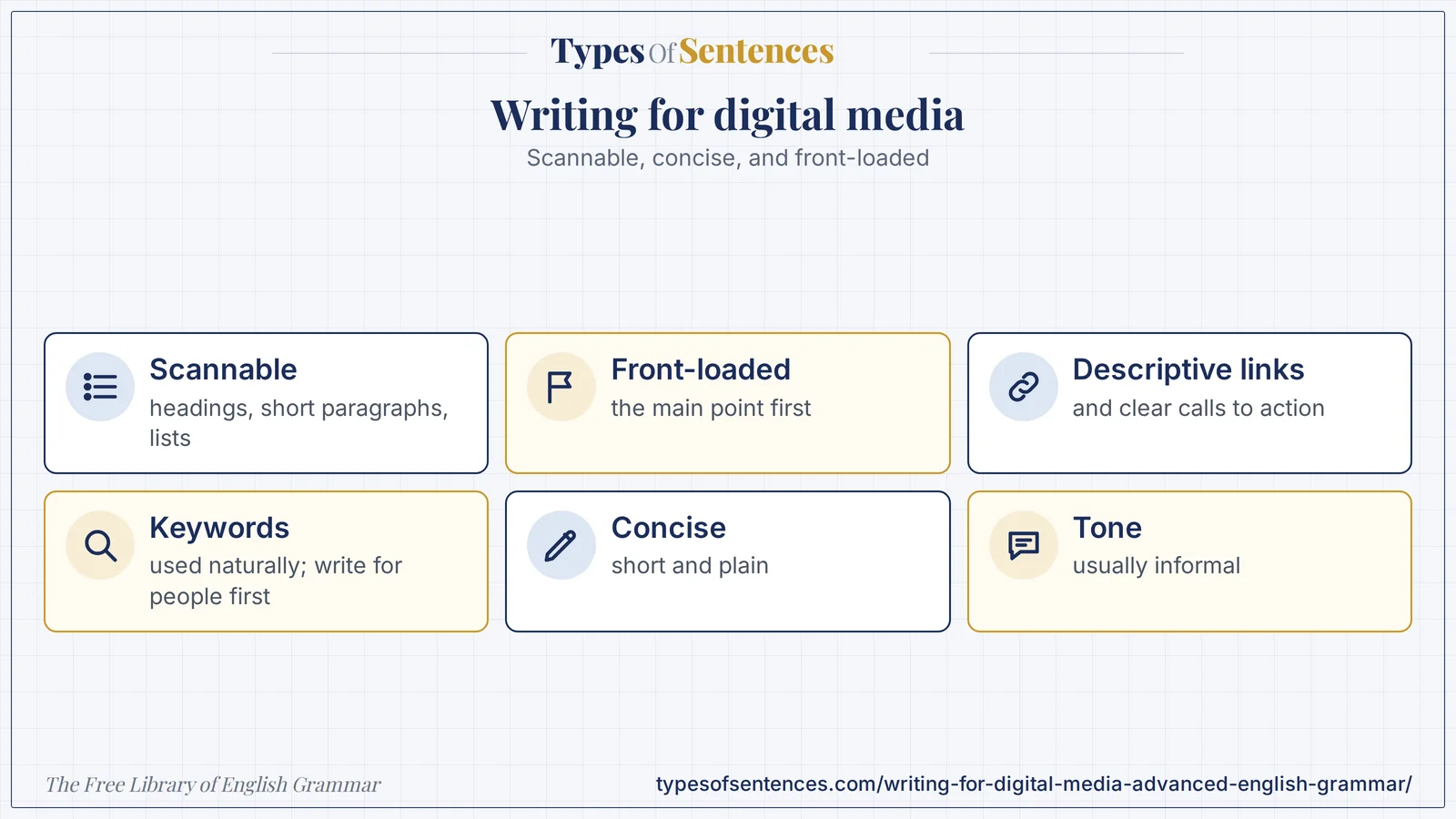
On the web, the reader decides in a few seconds whether to stay. A good digital text tells them at once what it is about and what they can do, then lets them find the detail they need by scanning headings, short paragraphs, and lists.
Why it matters: This is not “dumbing down”. It is writing for how people actually read on screens, and it takes more skill than long, unstructured prose: you must know what matters most and put it first.
Summary: Digital writing is scannable, concise, front-loaded, and usually informal in tone. Web pages use a clear headline, descriptive subheads, short paragraphs, bullet lists, descriptive link text, and clear calls to action. Emails need specific subject lines and one clear purpose. Social media writing is brief, platform-specific, and designed to engage. Blogs are conversational and structured with headings. Keywords that match what readers search for belong in titles, headings, and the opening, used naturally. Readability depends on short sentences, plain words, active voice, and layout. Digital text should be accessible to all readers (alt text, captions, clear structure) and honest about sponsorship and sources.
- Scannable: headings, short paragraphs, lists.
- Front-load: the main point first.
- Descriptive links and clear calls to action.
- Use keywords naturally; write for people first; make it accessible.
What You’ll Learn
- 1. Writing for Digital Media: Characteristics of Digital Writing
- 2. Web Content: Headlines, Subheads, Paragraphs, Lists, and Links
- 3. Email Communication: Subject Lines, Brevity, and Clarity
- 4. Social Media: Platform-Specific Styles, Brevity, and Engagement
- 5. Blogs: Conversational Tone and Scannable Format
- 6. Keywords, Search, and Readability
- 7. Multimedia, Interface Text, and Accessibility
- 8. Ethics and Trust in Digital Writing
- 9. Common Errors in Digital Writing
- 10. Exercises
- 11. Test Your Knowledge
- 12. Frequently Asked Questions
- 13. Conclusion
1. Writing for Digital Media: Characteristics of Digital Writing
| Characteristic | Description | Practice |
|---|---|---|
| scannable | readers scan for what they want | headings, short paragraphs, lists, bold key terms |
| concise | screen space and attention are limited | cut every unnecessary word |
| front-loaded | the main point comes first | put the key word at the start of the headline, subhead, and sentence |
| interactive | links, buttons, forms, media | descriptive link text; clear calls to action |
| multi-device | read on phones, tablets, and desktops | short lines and paragraphs; test on a phone |
| searchable | found through search and links | use the words readers search for |
| shareable | spread through social networks | a clear title and a summary that works alone |
| updatable | can be changed after publication | date and update content |
| global | read by international audiences | plain, idiom-free language where needed |
| accessible | usable by people with disabilities | alt text, captions, headings, contrast |
| informal to neutral in tone | a human voice | “you” and contractions, where they fit the brand |
| Digital | |
|---|---|
| read linearly, start to end | scanned and jumped through |
| long paragraphs acceptable | one to three sentences per paragraph |
| the writer controls the order | the reader chooses the path through links |
| fixed after printing | updated and corrected |
| headlines serve the page | headlines also serve search and social sharing |
| images are decoration or illustration | images, video, and audio are part of the message |
| reader’s attention is captive | attention is competed for |
Studies of eye movement on web pages (by usability researchers such as Jakob Nielsen) found that many readers scan in an F-shaped pattern: across the top, then down the left side, picking out headings and the first words of lines. The exact pattern varies with the page and the task, but the lesson holds: put the most important words at the beginning of headings, paragraphs, and lines. The arrangement of the new and important information first is also the principle of the chapter on information structure, and the structure of the news pyramid in the chapter on journalistic writing.
- Know the reader and the task: what do they want, and what will they do next?
- Write the key message in the first sentence and the key words at the start of headings.
- One idea per paragraph; one purpose per page.
- Use plain words and active verbs.
- Make the text accessible from the start, not as an afterthought.
2. Web Content: Headlines, Subheads, Paragraphs, Lists, and Links
| Element | Practice | Example (invented site) |
|---|---|---|
| page title and headline (H1) | specific; front-load the key words; one H1 per page | Opening a Savings Account: Requirements and Steps |
| meta description | a summary of 150 characters or fewer for search results | Learn what you need to open a savings account and how long it takes. |
| subheads (H2, H3) | descriptive, in a logical hierarchy | Documents you need; How long it takes; Fees |
| paragraphs | one to three sentences; one idea | — |
| lists | bullets for items; numbers for steps; parallel form | — |
| bold | for key terms, sparingly | — |
| links | descriptive anchor text that says where the link goes | Read the full fee schedule (not click here) |
| calls to action (buttons) | a verb first; specific | Open an account; Download the guide |
| images | relevant; with alt text | — |
| URLs | short, readable, with the main keyword | /savings-account-requirements |
| microcopy (labels, hints, errors) | plain, specific, helpful | Enter your 10-digit mobile number. |
| dates and updates | state “last updated” | Last updated: 12 March 2024 |
| related content | links at the end or in a sidebar | — |
| Dense text | Web-friendly rewrite |
|---|---|
| In order to open a savings account with our bank you will need to bring a number of documents with you to your nearest branch, including proof of identity and proof of address, and it is advisable to carry the original copies as well as photocopies. | Documents you need to open an account: (1) proof of identity; (2) proof of address; (3) one passport-size photograph. Bring originals and copies. |
| Click here for more information. | Read the full fee schedule. |
| Submit | Open my account |
| Error 4021: invalid input | Enter a valid 10-digit mobile number. |
| Link text | Better |
|---|---|
| Click here | View the program schedule |
| Read more | Read the 2024 annual report |
| This page | the loan application form |
| https://example.com/long-address | the fee schedule |
- Use headings that make sense on their own, so that a reader who only reads the headings gets the outline.
- Use descriptive link text. It helps scanning, search engines, and readers who use screen readers to list links.
- Keep calls to action to a verb plus a result, and write them from the user’s point of view (Open my account).
- Keep lines short and use white space. Avoid walls of text.
- Use consistent terms and a consistent layout across pages.
- Give a way to find more: related links, a summary at the top of a long page, or a table of contents.
The relation of structure to meaning is discussed in the chapter on vagueness and precision: a vague heading (Information) or a vague button (Submit) wastes the reader’s attention. Web content is a form of what is often called content design: writing that is built from what users need to know and do.
3. Email Communication: Subject Lines, Brevity, and Clarity
| Element | Practice | Example |
|---|---|---|
| subject line | specific; front-load the key words; about 40–60 characters is a common guide | Your June invoice is ready |
| preheader (preview text) | a short line that complements the subject | View and pay by 15 July |
| greeting | suited to the relationship | Hi Priya, / Dear Dr. Rao, |
| opening | state the purpose at once | Your June invoice is attached. |
| body | short paragraphs and lists; one main message | — |
| call to action | one clear action, as a button or link | Pay now |
| closing and signature | courteous; contact details | — |
| unsubscribe and sender details (marketing email) | required in many places; check the law that applies | — |
| Weak subject line | Better |
|---|---|
| Newsletter | Five tips for clearer emails: June newsletter |
| Hi | Your appointment on Tuesday, 15 March |
| Update!!! | Update: the website will be offline Sunday, 2–4 a.m. |
| Important | Action needed: confirm your address by 20 June |
| Sale | Last day: 20 percent off all courses |
| Type | Purpose | Features |
|---|---|---|
| transactional | confirm an action (an order, a password reset) | short, exact, useful |
| newsletter | inform and keep contact | scannable sections; links to more |
| promotional | sell or invite | one offer; a clear call to action; honest subject line |
| internal business email | work communication | purpose first; action and deadline (see the chapter on business writing) |
| automated or system email | notifications | plain; no jargon; a help link |
- Write for a phone screen: short paragraphs, large buttons, no horizontal scrolling.
- One email, one main action. Several competing buttons reduce action.
- Be honest in the subject line. A misleading subject line is unethical and, in some places, illegal.
- Respect consent and privacy: laws on consent, unsubscribing, and data differ by country, so follow the rules that apply to your readers.
- Test subject lines and layouts, and look at the results.
- Keep the tone human and consistent with the brand.
Business emails in the workplace follow the principles described in the chapter on business writing. Marketing and newsletter emails add the issues of subject-line honesty, consent, and design.
4. Social Media: Platform-Specific Styles, Brevity, and Engagement
| Kind of platform | Typical writing | Notes |
|---|---|---|
| short-post (microblog) platforms | a sentence or two; a link; hashtags; threads for longer ideas | the first words decide whether a post is read |
| professional networks | a hook line, short paragraphs, a professional tone, a takeaway | first-person reflection; credible content |
| visual platforms | an image or video with a short caption and hashtags | the caption supports the image |
| video platforms | a script, a title, a description | a hook in the first seconds; captions |
| messaging and community platforms | conversational, quick | informal; respond promptly |
| forums and discussion sites | a question or an answer in plain words | follow the community rules |
| Technique | Example | Comment |
|---|---|---|
| hook | a first line that gives a reason to read on | “Most emails fail in the first five words.” |
| brevity | cut and condense | — |
| a clear call to action | Read the guide; Share your tip | — |
| questions to engage | What is your best writing tip? | — |
| hashtags | capitalize each word in a multi-word tag (#PlainLanguage) | one to a few; relevant; readable by screen readers |
| mentions | tag people and organizations accurately | — |
| emojis | sparingly; they can aid tone; some screen readers read them aloud | not as the only carrier of meaning |
| alt text and captions | describe images; caption video | accessibility |
| threads and numbered series | break a long idea into steps | — |
| tone and voice | match the brand and the platform | — |
| grammar choices | fragments and informal punctuation are acceptable when deliberate; errors that confuse are not | — |
| Dull post | Engaging post (invented) |
|---|---|
| We are pleased to announce that our new guide to plain language is now available for download on our website. | New guide: how to write in plain language. Free, 12 pages, and takes 10 minutes to read. Download it today. |
| Check out this link. | Five-minute fix: replace “in order to” with “to” and see your emails get shorter. Tips inside. |
| Thanks for your feedback. | Thank you, Priya. We have fixed the broken link and updated the guide. |
- Know the platform and its audience. Features, length limits, and norms change, so check the current rules.
- Write for the feed: the first words must carry the point.
- Be accurate: check before you post, because posts spread quickly and are hard to withdraw.
- Disclose sponsored content and relationships as the law and the platform require.
- Respond politely to comments; do not argue publicly; take serious problems offline.
- Make posts accessible: alt text, captions, readable hashtags, and a limited use of emoji.
- Keep a consistent voice without sounding like an advertisement.
5. Blogs: Conversational Tone and Scannable Format
| Part | Practice | Example |
|---|---|---|
| headline | specific and promising; a number, a benefit, or a how-to | 7 Ways to Write Clearer Emails |
| introduction | name the problem, promise a solution, preview the post (about 2–4 sentences) | Long emails go unread. This post gives seven ways to make yours short, clear, and easy to act on. |
| subheads | one for each main point | 1. Put the point first |
| body | short paragraphs; examples; lists; images | — |
| voice | conversational; you and I; contractions; plain words | — |
| conclusion and call to action | summarize; invite a comment or an action | Try one of these today, and tell us what changed. |
| links | to sources and related posts | — |
| author and date | credibility | — |
| Type of post | Description |
|---|---|
| how-to or tutorial | steps to do something |
| list post | a numbered list of tips or items |
| explainer | explains a topic or concept |
| opinion or commentary | a viewpoint, with reasons |
| case study | an example in detail |
| interview | a conversation with an expert |
| news or update | a recent development |
| personal story | narrative with a lesson |
| Headline problem | Example | Fix |
|---|---|---|
| vague | Thoughts on writing | Five Mistakes That Make Your Writing Hard to Read |
| clickbait | You Won’t Believe This One Trick | One Change That Shortens Any Email |
| too long | — | keep to the point; about 60 characters or fewer for search results |
| misleading | a headline the post does not deliver | match the headline to the content |
| no keyword | — | include the topic words readers search for |
- Write as you speak, tidied. Read the draft aloud; if it sounds stiff, simplify it.
- Be useful. Length should follow the need: say what is needed, no more and no less.
- Use examples and stories to make ideas concrete.
- Structure for scanning: subheads every few paragraphs, lists where they fit.
- Give credit and link to sources; check facts.
- Update old posts that remain popular.
6. Keywords, Search, and Readability
| Idea | Meaning | Practice |
|---|---|---|
| search intent | what the searcher wants: to learn, to find a site, to compare, to buy | match the page to the intent |
| keyword | a word or phrase that readers search for | choose terms that readers use, not only terms you use |
| primary keyword | the main topic phrase for the page | place it in the title, the first heading, the opening, and the URL |
| secondary keywords and related terms | supporting phrases and synonyms | use naturally in subheads and the body |
| keyword stuffing | forcing a keyword into text to influence search | avoid; it harms readability and ranking |
| meta description | a summary that appears in search results | about 150 characters; accurate; inviting |
| title tag | the page title in search results | specific; about 60 characters or fewer is a common guide |
| alt text | a description of an image | natural words; useful for access and search |
| internal and external links | links to related pages and sources | descriptive link text |
| freshness and accuracy | current, correct content | update dates and facts |
| quality and trust | content that shows experience, expertise, and reliability | named authors, sources, and evidence |
| Keyword stuffing (avoid) | Natural keyword use |
|---|---|
| Our cheap laptops are cheap laptops for cheap laptop buyers; buy cheap laptops here. | Looking for an affordable laptop? These five models cost under 40,000 rupees and are suitable for students. |
| Readability factor | Practice |
|---|---|
| sentence length | mostly short; vary; average about 15 to 20 words |
| word choice | plain, common words; define technical terms |
| voice | active |
| paragraphs | short; one idea |
| formatting | headings, lists, white space |
| typography and contrast | legible font size and strong contrast between text and background |
| reading level | match the audience; many sites aim at a level most adults can read easily |
| jargon and idioms | avoid for a general or international audience |
| testing | read aloud; use a readability tool as a guide, not as a judge |
Readability formulas such as the Flesch Reading Ease score combine the average sentence length and the average number of syllables per word: the formula is 206.835 − 1.015 × (words per sentence) − 84.6 × (syllables per word), and higher scores mean easier text. Such scores are rough guides: they cannot tell whether the content is clear, well organized, or suitable for the reader, but they are a useful check against long sentences and long words. The detailed discussion of readability is in the chapter on conciseness and wordiness and the later chapter on readability.
The principle in search is to write for people first. Search engines change their methods, but they aim to reward pages that answer readers’ needs, so the best practice is to use the words that readers use, to organize the page clearly, to be accurate and up to date, and to avoid tricks. The advice on keywords in this chapter is general, and search guidelines should be checked from time to time.
7. Multimedia, Interface Text, and Accessibility
| Element | Practice | Example |
|---|---|---|
| alt text | describe the content and function of an image briefly; leave decorative images empty | Bar chart: sales rose from 40 to 65 units between 2022 and 2023. |
| captions and transcripts | provide for video and audio | — |
| interface labels and buttons | clear verbs and nouns, consistent | Save; Cancel; Upload photo |
| error messages | say what happened, why, and what to do; no blame | The file is too large. Choose a file under 5 MB. |
| empty states and instructions | helpful, short | No messages yet. Start a conversation. |
| confirmation messages | say what happened | Your changes have been saved. |
| chatbot and voice text | short, conversational, one idea per turn | Sure. What date would you like? |
| video scripts | spoken language; short sentences; the hook first | — |
| podcast show notes | summary, timestamps, links | — |
| forms | clear labels, hints, and required fields | — |
| Accessibility practice | Why |
|---|---|
| use real headings in order (H1, H2, H3) | screen readers use headings to navigate |
| descriptive link text | links are read out of context |
| alt text for images that convey meaning | blind and low-vision users |
| captions for video | deaf and hard-of-hearing users, and people in noisy places |
| strong contrast and resizable text | low vision |
| plain language and clear structure | cognitive accessibility and everyone |
| do not use color alone to convey meaning | color-vision differences |
| avoid text in images | it cannot be read or resized |
Writing for interfaces, sometimes called UX writing, treats every word on the screen as part of the product: a label, a button, an error message. The same principles apply: clarity, consistency, and a helpful tone. Accessibility guidelines such as the Web Content Accessibility Guidelines (WCAG) set standards that many organizations follow, and in many countries the law requires accessible content.
8. Ethics and Trust in Digital Writing
| Principle | Practice |
|---|---|
| accuracy | check facts and sources; correct errors visibly |
| honesty in headlines and subject lines | no deception; match the promise to the content |
| disclosure | label sponsored content, affiliate links, and advertising |
| copyright and permission | use images, text, and music only with the right to do so; credit sources |
| privacy | respect personal data and consent; do not publish private information |
| avoid spreading misinformation | verify before you share; link to primary sources |
| transparency about automation | follow the rules of the platform and the audience’s expectations about the use of tools that generate text |
| respectful language | avoid harassment and stereotypes |
| accountability | respond to errors and complaints |
Online text spreads quickly and persists, so the cost of error is high. Trust is the basic asset of any writer or organization on the web, and it is built by accuracy, honesty, and clarity over time.
9. Common Errors in Digital Writing
| Error | Example | Fix |
|---|---|---|
| wall of text | a 300-word paragraph | break into short paragraphs, lists, and subheads |
| buried point | three sentences of background first | lead with the main point |
| vague headline | Information | Opening a Savings Account: What You Need |
| “click here” | Click here for the form. | Download the application form. |
| vague button | Submit | Open my account |
| keyword stuffing | repeating a phrase | use it naturally; add synonyms |
| no subheads on a long page | — | add descriptive subheads |
| clickbait | You won’t believe … | state the benefit honestly |
| misleading subject line | Re: your order (no prior mail) | accurate subject |
| too many calls to action | five buttons | one main action |
| jargon and long words | Utilize the following methodologies | Use these methods |
| all capitals and many exclamation marks | SALE!!! BUY NOW!!! | Sale: 20 percent off today. |
| missing alt text | an image with no description | add alt text |
| outdated content | a 2015 price on a 2024 page | update and date |
| unreadable hashtag | #plainlanguagetips | #PlainLanguageTips |
| inconsistent tone | formal in one paragraph, slangy in the next | one voice |
| unlabeled sponsored content | — | add a disclosure |
Edit: Click here!!! In order to utilize our cheap cheap laptops that are cheap, it is advisable for customers to make a purchase of our cheap laptops, which are cheap, and submit, and #ourlaptopsarecheap.
- Click here!!!: vague link and excess punctuation: See the five best laptops under 40,000 rupees.
- In order to utilize our cheap cheap laptops that are cheap: keyword stuffing and pompous words: These five affordable laptops suit students.
- it is advisable for customers to make a purchase: wordy: Buy one today.
- submit: vague button: Add to cart.
- #ourlaptopsarecheap: unreadable hashtag: #StudentLaptops.
- Result: Five affordable laptops under 40,000 rupees for students. Compare prices and buy one today. [Add to cart] #StudentLaptops (the site and prices are invented)
Recap in 12 seconds
Watch the lesson build itself: Digital writing is scannable, front-loaded, concise, and usually informal, with descriptive links and natural keywords. The video has no sound.
Exercises
Part A: Characteristics (Exercises 1–7)
Exercise 1: Name three characteristics of digital writing.
Show Answer
Answer: Scannable, concise, front-loaded, interactive, accessible.
Exercise 2: What does front-loading mean?
Show Answer
Answer: Putting the main point or key word first.
Exercise 3: How long are paragraphs on the web (guide)?
Show Answer
Answer: One to three sentences.
Exercise 4: Why use descriptive subheads?
Show Answer
Answer: Readers scan them to get the outline.
Exercise 5: Name a difference between print and digital reading.
Show Answer
Answer: Digital text is scanned and non-linear.
Exercise 6: What is a call to action?
Show Answer
Answer: A prompt telling the reader what to do next.
Exercise 7: Why test on a phone?
Show Answer
Answer: Many readers use phones.
Part B: Web Content (Exercises 8–14)
Exercise 8: Improve: Click here for more information.
Show Answer
Answer: Read the full fee schedule.
Exercise 9: Improve the button: Submit
Show Answer
Answer: Open my account.
Exercise 10: Fix the error message: Error 4021: invalid input
Show Answer
Answer: Enter a valid 10-digit mobile number.
Exercise 11: What is a meta description?
Show Answer
Answer: A summary shown in search results (about 150 characters).
Exercise 12: Name a rule for lists.
Show Answer
Answer: Bullets for items; numbers for steps; parallel form.
Exercise 13: Why use descriptive link text?
Show Answer
Answer: For scanning, search, and screen readers.
Exercise 14: How many H1s should a page have?
Show Answer
Answer: One.
Part C: Email and Social Media (Exercises 15–21)
Exercise 15: Improve the subject line: Hi
Show Answer
Answer: Your appointment on Tuesday, 15 March.
Exercise 16: Improve: Important
Show Answer
Answer: Action needed: confirm your address by 20 June.
Exercise 17: How many main actions in one email?
Show Answer
Answer: One.
Exercise 18: Fix the hashtag: #plainlanguagetips
Show Answer
Answer: #PlainLanguageTips.
Exercise 19: Why disclose sponsored posts?
Show Answer
Answer: Honesty, and the law and platform rules.
Exercise 20: Name a way to engage on social media.
Show Answer
Answer: A hook, a question, a clear call to action.
Exercise 21: Why not use emoji as the only carrier of meaning?
Show Answer
Answer: Screen readers and clarity.
Part D: Blogs and Keywords (Exercises 22–27)
Exercise 22: Name the parts of a blog post.
Show Answer
Answer: Headline, introduction, subheads, body, conclusion and call to action.
Exercise 23: Define keyword stuffing.
Show Answer
Answer: Forcing a keyword into text to influence search.
Exercise 24: Where should the primary keyword go?
Show Answer
Answer: Title, first heading, opening, and URL.
Exercise 25: What is search intent?
Show Answer
Answer: What the searcher wants to do.
Exercise 26: What does a higher Flesch Reading Ease score mean?
Show Answer
Answer: Easier text.
Exercise 27: What is the main principle of writing for search?
Show Answer
Answer: Write for people first.
Part E: Accessibility and Errors (Exercises 28–30)
Exercise 28: Write alt text for a bar chart of sales rising from 40 to 65 units.
Show Answer
Answer: Bar chart: sales rose from 40 to 65 units.
Exercise 29: Why avoid text in images?
Show Answer
Answer: It cannot be read by screen readers or resized.
Exercise 30: Fix: SALE!!! BUY NOW!!!
Show Answer
Answer: Sale: 20 percent off today.
Test Your Knowledge
Ready to check what you learned? Answer all 10 questions, then submit. You need 80% (8 of 10) to pass. Your answers are not stored.
View correct answers and explanations
Question 1: Which is a characteristic of digital writing?
✓ Correct Answer: A – scannable
Scannable.
Question 2: How long should a web paragraph be?
✓ Correct Answer: B – one to three sentences
Short.
Question 3: Which is a better link?
✓ Correct Answer: C – Read the 2024 annual report
Descriptive.
Question 4: Which is a better button?
✓ Correct Answer: D – Open my account
Verb plus result.
Question 5: Which is a better subject line?
✓ Correct Answer: C – Your appointment on Tuesday, 15 March
Specific.
Question 6: Which is keyword stuffing?
✓ Correct Answer: A – repeating a phrase unnaturally
Unnatural repetition.
Question 7: Which is the readable hashtag?
✓ Correct Answer: D – #PlainLanguageTips
Capitalize each word.
Question 8: Why add alt text?
✓ Correct Answer: C – for screen readers and search
Accessibility.
Question 9: What does front-loading mean?
✓ Correct Answer: B – putting the key point first
Key point first.
Question 10: What should a blog post have?
✓ Correct Answer: B – subheads and short paragraphs
Scannable structure.
Frequently Asked Questions
What is writing for digital media?
Writing for digital media is writing for screens: web pages, email, social media, blogs, and apps. It is scannable, concise, front-loaded, accessible, and written for how people read online.
What is online writing?
Online writing is any writing published on the internet. Online writing differs from print in its structure, its length, its tone, and its links.
What is web writing?
Web writing is the writing of web pages: headlines, subheads, short paragraphs, lists, links, and calls to action, with the reader’s tasks in mind.
What is digital communication?
Digital communication is communication by electronic channels: email, messaging, social media, and websites. Digital communication calls for brevity, clarity, and attention to the channel.
What is internet writing?
Internet writing is writing for the web, designed to be found by search and read on screens. Internet writing uses the words that readers search for, naturally.
How do I use keywords?
Choose phrases that readers search for, place the main one in the title, the first heading, the opening, and the URL, use related terms naturally, and avoid stuffing.
How do I make digital text readable?
Use short sentences and paragraphs, plain words, active verbs, headings, lists, white space, strong contrast, and test the text on a phone.
Conclusion
You now have a deep study of writing for digital media: the characteristics of digital writing, web content, email, social media, blogs, keywords and readability, multimedia and interface text, ethics, and the common errors. You can write for readers who scan, search, and share.
When you write for the screen, ask what the reader wants, say it first, and make it easy to find. Next, you will begin Part 7 with editing and proofreading.
- Nielsen, Jakob. “How Users Read on the Web.” Nielsen Norman Group, 1997.: early research on scanning behavior on web pages.
- Redish, Janice (Ginny). Letting Go of the Words: Writing Web Content that Works. 2nd ed. Morgan Kaufmann, 2012.: web content for tasks and scanning.
- Krug, Steve. Don’t Make Me Think, Revisited. New Riders, 2014.: usability and how people use the web.
- World Wide Web Consortium. Web Content Accessibility Guidelines (WCAG). W3C, current version.: accessibility standards for web content.
- Merriam-Webster Dictionary: digital: the dictionary entry.
Last reviewed: October 29, 2026. How it was made: drafted with AI assistance, then checked with automated tests (structure, links, answer keys, spelling) and against the sources above. A person has not yet read this chapter line by line. Found a mistake? Report it.