Technical writing is writing that helps a reader do something or understand something technical: install a device, run a program, follow a procedure, check a specification. The reader is rarely reading for pleasure; they are in the middle of a task, and a mistake or a misunderstanding can cost time, money, or safety. For this reason technical communication prizes accuracy and clarity above style, and it has developed its own habits: numbered steps, imperative verbs, defined terms, labeled figures, and consistent vocabulary. Good technical writing makes the reader’s task easier and the document disappears.
You will study the principles of technical writing, how to analyze the audience and the task, how to write instructions and procedures (steps, warnings, conditions, and results), technical descriptions and definitions, the main kinds of technical documentation, the technical grammar of voice, tense, noun strings, and modal verbs, the use of visual elements and document design, writing for global readers, and the common errors. The skills of writing instructions and technical documentation are some of the most useful in the workplace. Thirty editing exercises and a quiz follow.
A technical document answers the question “How do I do this?” or “What exactly is this?” It does so in an order the reader can follow with their hands busy and their attention divided, in words that mean one thing only.
Why it matters: The rules are simple to state and hard to keep: one action per step, one term per thing, the most important information first, and nothing that the reader might misread.
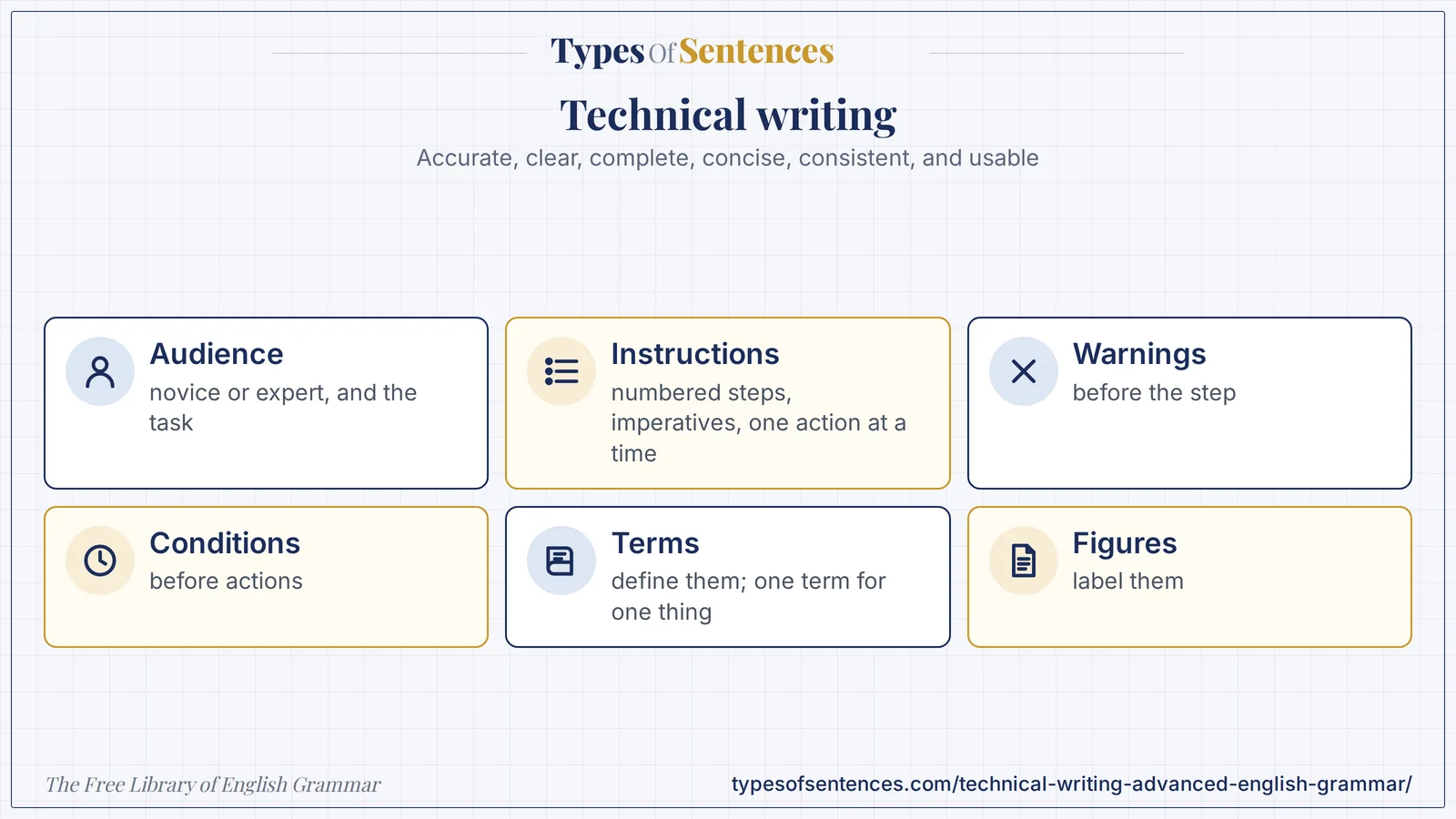
Summary: Technical writing is accurate, clear, complete, concise, consistent, and usable. It begins with an analysis of the audience (novice or expert) and the task. Instructions use numbered steps, imperative verbs, one action per step, conditions before actions, and warnings placed before the step they concern. Descriptions define terms, state purpose, parts, and function, and give specifications with units. Documentation includes manuals, specifications, procedures, and online help. Technical grammar uses the present tense, the imperative for instructions, the passive for processes, precise noun phrases, and modal verbs with fixed meanings (must, should, may). Figures and tables are numbered, captioned, and referred to in the text. The same word is used for the same thing throughout.
- Accuracy, clarity, completeness, consistency, usability.
- Instructions: numbered steps, imperatives, one action each.
- Warnings before the step; conditions before actions.
- Define terms; use one term for one thing; label figures.
What You’ll Learn
- 1. Technical Writing: Principles and Audience Analysis
- 2. Instructions and Procedures
- 3. Technical Descriptions and Definitions
- 4. Types of Technical Documentation
- 5. Technical Grammar: Voice, Tense, Noun Strings, and Modal Verbs
- 6. Visual Elements and Document Design
- 7. Writing for Global Readers and for Translation
- 8. Accuracy, Safety, and Responsibility
- 9. Common Errors in Technical Writing
- 10. Exercises
- 11. Test Your Knowledge
- 12. Frequently Asked Questions
- 13. Conclusion
1. Technical Writing: Principles and Audience Analysis
| Principle | Meaning | Example |
|---|---|---|
| accuracy | facts, figures, and terms are correct | Tighten the bolt to 25 newton meters. |
| clarity | one meaning only | Press the green button. |
| completeness | everything the reader needs, nothing missing | list the tools and materials before the steps |
| conciseness | no unnecessary words | Remove the cover. (not The cover should now be removed) |
| consistency | the same term for the same thing | always button, never key or switch for the same part |
| usability | organized for the task | headings, numbered steps, a search index |
| accessibility | usable by all readers | alt text for images; plain language |
| safety | warnings are prominent and exact | WARNING: Disconnect the power before removing the cover. |
| Question | Why it matters |
|---|---|
| Who are the readers? (novice, expert, mixed) | decides the amount of explanation and the vocabulary |
| What will they do with the document? (learn, do, look up) | decides the structure: tutorial, procedure, or reference |
| Where and when will they use it? (at a desk, in the field, in an emergency) | decides length, layout, and format |
| What do they already know? | what to define and what to skip |
| What could go wrong? | where to put warnings and troubleshooting |
| What language and culture? | plain vocabulary and care with idioms for global readers |
| Technical writing | Academic writing | Literary writing |
|---|---|---|
| purpose: to enable action and understanding | purpose: to argue and report research | purpose: to engage and move |
| reader reads to do a task | reader reads to evaluate | reader reads for experience |
| one meaning; no ambiguity | precise, with hedging | ambiguity can be a resource |
| numbered steps, tables, figures | paragraphs and citations | narrative and imagery |
| consistent terms | varied terms are acceptable | variation is a virtue |
Some organizations use a controlled vocabulary and grammar to make technical text easier to understand and to translate; one example is Simplified Technical English, used in aerospace maintenance. The general principle can be used without a formal standard: choose a small set of clear words, and use each in one sense. The relation of technical writing to the other kinds of professional writing is discussed in the chapters on vagueness and precision and on business writing.
2. Instructions and Procedures
| Element | Practice | Example |
|---|---|---|
| title | names the task with a verb phrase or a gerund | Replacing the Filter / How to Replace the Filter |
| introduction | purpose, scope, and the time needed | This procedure explains how to replace the air filter. It takes about 10 minutes. |
| prerequisites | what must be true before starting | The unit must be switched off and unplugged. |
| tools and materials | a list, with quantities | 1 Phillips screwdriver; 1 replacement filter (Part 4521) |
| warnings and cautions | before the step they concern | WARNING: Disconnect the power. |
| steps | numbered; one action each; imperative | 1. Remove the cover. 2. Pull out the old filter. |
| conditions | before the action | If the filter is dirty, replace it. |
| results | what the reader should see | The indicator turns green. |
| troubleshooting | a problem–cause–solution table | — |
| end | confirmation and next steps | The procedure is complete. Run the unit for one minute. |
| Hazard label (common use) | Meaning |
|---|---|
| DANGER | an immediate hazard that will cause death or serious injury |
| WARNING | a hazard that could cause death or serious injury |
| CAUTION | a hazard that could cause minor injury or damage |
| NOTICE | a point about property damage or important information |
| NOTE | additional information that is not a hazard |
| Poor instruction | Better |
|---|---|
| The cover should be removed and then the filter can be taken out. | 1. Remove the cover. 2. Pull out the filter. |
| Turn the knob until it stops. | Turn the knob clockwise until it stops (about 90 degrees). |
| Make sure that everything is properly connected. | Check that the power cable is plugged into the rear port. |
| Remove the screws and the cover and disconnect the cable. | 1. Remove the four screws. 2. Lift off the cover. 3. Disconnect the cable. |
| After installing the software, the screen opens. | After you install the software, the screen opens. |
| You may want to save your work. | Save your work. |
| Wait a while. | Wait 30 seconds. |
- Use the imperative mood (Press, Remove, Select) and start each step with a verb.
- One action per step. If a step has two actions that must happen together, say so (While you hold the button, turn the knob).
- Put the condition before the action: If the light is red, press Reset, not Press Reset if the light is red, so that the reader does not act before reading the condition.
- Put warnings before the step, in a visually distinct form, and say what to do and what the consequence is.
- Use exact values and units (25 newton meters, 30 seconds) and not tight or a while.
- Use parallel structure in lists of steps and items. The chapter on parallel structure explains the principle.
- State the result of a step when the reader needs to check that it worked.
3. Technical Descriptions and Definitions
| Type | Content | Example |
|---|---|---|
| definition | term + class + distinguishing features | A thermostat is a device that regulates temperature by switching a heater or cooler on and off. |
| description of a mechanism | purpose, parts, function, relation of the parts | The pump consists of a motor, an impeller, and a casing. The motor turns the impeller, which draws in water and pushes it out through the casing. |
| description of a process | stages in order, with inputs and outputs | In the first stage, the water is filtered. In the second, it is heated. |
| specification | measurements and requirements | Dimensions: 300 mm × 200 mm × 120 mm. Weight: 2.5 kg. Operating temperature: 0 to 40 degrees Celsius. |
| comparison | items, criteria, and a recommendation | Model A is cheaper, but Model B is more efficient. |
| classification | groups and criteria | Pumps are classified as centrifugal or positive displacement. |
| Language of descriptions | Examples |
|---|---|
| purpose | is used to; is designed to; allows the user to; is intended for |
| parts | consists of; is composed of; comprises; includes; is made up of |
| function | controls; regulates; converts … into …; prevents; transmits; measures |
| position | is mounted on; is located at the top; is attached to; lies between |
| process order | first, second, then, next, after that, finally, once, until |
| purpose of a step | in order to; so that; to |
- Define a term the first time it is used if the reader may not know it, and do not change it afterward.
- Use the present tense for the description of a device or process (The motor turns the impeller).
- Go from the general to the specific: purpose, overview, parts, details.
- Use objective, precise language; avoid very, nice, huge, and other vague words (see the chapter on vagueness and precision).
- Give dimensions, quantities, and tolerances with units.
4. Types of Technical Documentation
| Document | Purpose | Features |
|---|---|---|
| user manual or guide | teach the user to use a product | tasks in order; screenshots; troubleshooting; index |
| quick-start guide | get the user going fast | few steps; pictures; one page |
| installation or setup guide | install and configure | prerequisites; numbered steps; verification |
| standard operating procedure (SOP) | make a task consistent in an organization | scope; roles; steps; records |
| technical specification | state the requirements or the design | numbered requirements; defined terms; units |
| API or developer documentation | explain how to use a programming interface | reference entries; examples; parameters |
| README file | introduce a software project | what it is; how to install and use it; license |
| release notes | list changes in a version | new features; fixes; known issues |
| knowledge-base article or FAQ | answer a specific question | a short title as a question; the answer; related links |
| white paper | explain a technology or a solution and persuade | problem; analysis; solution |
| help text and interface messages | guide the user inside the product | very short; consistent; polite; specific |
| maintenance and service manual | instruct technicians | warnings; tools; procedures; parts lists |
| Kind of topic (topic-based authoring) | Content |
|---|---|
| task | how to do something (steps) |
| concept | what something is and why it matters |
| reference | facts to look up (tables, lists, specifications) |
| troubleshooting | symptoms, causes, and remedies |
| Interface language convention | Example |
|---|---|
| name interface elements exactly as they appear, in bold | Click Save. |
| use a path for menus | Select File > Open. |
| use the imperative; address the user as you | Enter your password. |
| separate a message into what happened, why, and what to do | The file could not be saved. The disk is full. Delete some files and try again. |
| avoid blame and jargon in messages | Your password is incorrect → The password does not match. Try again. |
| be consistent in verbs: click, tap, select, press | Click a mouse button; tap a touch screen; press a key. |
Documentation is usually written for a version, so state the version and date and update it with the product. A document should have a clear structure, with headings that tell the reader what each section is for and a way to find information (a table of contents, an index, or search). Many teams review documents with subject-matter experts for accuracy and test them with real users for usability.
5. Technical Grammar: Voice, Tense, Noun Strings, and Modal Verbs
| Feature | Practice | Example |
|---|---|---|
| instructions: imperative and active | tell the reader what to do | Remove the cover. |
| descriptions of processes: passive or active | passive when the actor is unimportant | The sample is heated to 100 degrees. (a laboratory procedure) |
| present tense | for instructions, descriptions, and facts | The pump draws water in. |
| past tense | for reports of tests or incidents | The test was completed in 10 minutes. |
| noun strings (noun adjuncts) | keep to three nouns; hyphenate or rewrite | the oil pressure warning light; (long) → the warning light for oil pressure |
| articles | a for first mention, the for the known item | Insert a card into the slot. The card must face up. |
| pronouns | avoid ambiguous it and this | Pull the lever. Then press the button. (not Pull it. Then press it.) |
| modal verbs in requirements | must (required), should (recommended), may (optional), must not (forbidden) | The system must log every error. The user may change the language. |
| conditionals | if + present for conditions | If the light is red, press Reset. |
| sentence length | short; one idea | — |
| terminology | one term for one thing | — |
| parallel lists | items in the same form | — |
| plain words | use, not utilize | — |
| units and numbers | numerals with units, a space between | 25 N·m; 30 s; 10 mm; 5 V |
| Word | Meaning in specifications |
|---|---|
| must, shall (older style) | a requirement; mandatory |
| must not, shall not | a prohibition |
| should | a recommendation; there may be valid reasons to do otherwise |
| may | permission; optional |
| will | a statement of fact about the future or a commitment (not a requirement) |
| can | ability or possibility |
| Ambiguity to avoid | Problem | Fix |
|---|---|---|
| Replace the filter and the gasket if worn. | does if worn apply to both? | Replace the filter. If the gasket is worn, replace it too. |
| Turn off the power and the pump. | one object or two? | Turn off the power. Turn off the pump. |
| Remove the plug from the socket with the red cap. | which has the red cap? | Remove the plug. The socket has a red cap. |
| The operator must not start the machine without a guard. | ambiguous scope of without | The operator must not start the machine unless a guard is fitted. |
| Open the valve slowly and carefully until it stops. | — | Open the valve slowly until it stops. |
| Pressing the button, the light turns on. | dangling modifier | When you press the button, the light turns on. |
The choice between the active and the passive voice and the uses of noun phrases are treated in the chapters on voice and complex noun phrases. In instructions, the imperative active is almost always best; in descriptions of processes, the passive is common and acceptable when it keeps the focus on the object. Avoid the dangling modifier, which is dangerous in instructions because the reader may act on a wrong reading.
6. Visual Elements and Document Design
| Visual | Use | Convention |
|---|---|---|
| table | compare data; list specifications | numbered, with a title above; units in the headings |
| figure (diagram, drawing, photograph) | show structure or position | numbered, with a caption below |
| flowchart | show a process or a decision | standard symbols; one start and clear ends |
| screenshot | show the interface | crop to the relevant area; call out the target |
| graph or chart | show trends and relations | labeled axes with units; a legend; a caption |
| callouts and labels | identify parts | numbered or lettered, with a key |
| icons for warnings | signal hazards | standard symbols and consistent colors |
| list (numbered or bulleted) | chunk steps or items | parallel form |
| Referring to a visual | Examples |
|---|---|
| introduce it before or near it | Figure 3 shows the layout of the control panel. |
| say what to look at | As shown in Figure 3, the power switch is on the left. |
| refer by number, not by position | Table 2 lists … (not the table below) |
| tell the reader what it shows | Figure 4 illustrates how the filter is fitted. |
| use a call-out in a step | Press the power button (1 in Figure 3). |
- Place a figure near the text that refers to it, and refer to every figure.
- Do not rely on color alone; use labels and patterns so that readers with color-vision differences, and those using black-and-white print, can read them.
- Give alt text for images in digital documents, so that screen-reader users can understand them.
- Keep the layout consistent: the same heading styles, the same warning format, the same spacing.
- Use white space and short chunks; avoid dense paragraphs of instructions.
- Test the visuals with users: if they do not understand a figure, change it.
| Design principle | Practice |
|---|---|
| chunking | group related information under a heading |
| hierarchy | make the structure visible through headings and typography |
| alignment and consistency | same style for same kind of content |
| contrast | make warnings stand out |
| scannability | headings, lists, and bold key terms |
| navigation | table of contents, links, index, and search |
7. Writing for Global Readers and for Translation
| Guideline | Example | Reason |
|---|---|---|
| short sentences | Press the button. The light turns on. | easier to read and translate |
| one meaning per word | use start for start | consistent terms translate consistently |
| avoid idioms and metaphors | not ballpark figure or touch base | idioms do not translate |
| avoid unclear phrasal verbs | not set up for several meanings; prefer install, configure | ambiguous in translation |
| keep articles and pronouns clear | repeat the noun when needed | — |
| avoid humor and cultural references | — | may not travel |
| spell out dates and units | 15 March 2024; 25 N·m | formats differ |
| use consistent punctuation | — | — |
| leave space for translated text to expand | — | other languages are often longer |
| use plain words | use, not utilize | — |
| avoid noun strings of more than three nouns | — | hard to parse |
Global English guidelines also make a document easier for native speakers. For international readers, an expression such as kindly revert or do the needful may be unclear (see the chapter on business writing), and the safest course in technical text is to state the action directly: Reply by Friday.
8. Accuracy, Safety, and Responsibility
| Responsibility | Practice |
|---|---|
| accuracy | check every number, unit, name, and step; test procedures yourself |
| safety | state hazards clearly, with the consequence and the action; never hide a risk |
| completeness | do not omit steps or conditions that the user needs |
| honesty | describe what the product does and does not do |
| accessibility | make the document usable by readers with disabilities |
| legal and regulatory requirements | follow the standards that apply to your product and region |
| version control | state the version and update documents when the product changes |
| review | have a subject-matter expert and a novice user review the draft |
A technical document is part of the product. A wrong instruction can damage equipment or injure a person, and a missing warning can have legal consequences. For that reason, technical writers work with engineers, test their own instructions step by step, and treat accuracy as a duty.
9. Common Errors in Technical Writing
| Error | Example | Fix |
|---|---|---|
| several actions in one step | Remove the screws and the cover and disconnect the cable. | 1. Remove the screws. 2. Remove the cover. 3. Disconnect the cable. |
| passive in instructions | The cover should be removed. | Remove the cover. |
| condition after the action | Press Reset if the light is red. | If the light is red, press Reset. |
| vague quantity | Tighten firmly. | Tighten to 25 N·m. |
| inconsistent terms | button … key … switch (same part) | one term |
| ambiguous pronoun | Pull it. Then press it. | Pull the lever. Then press the button. |
| dangling modifier | Pressing the button, the light turns on. | When you press the button, the light turns on. |
| warning after the step | Remove the cover. WARNING: live wires. | WARNING before step 1. |
| jargon without definition | Reboot the NIC. | Restart the network adapter (NIC). |
| noun string too long | the engine oil pressure warning light switch | the switch for the oil pressure warning light |
| no result stated | Press Save. | Press Save. The file name appears in the title bar. |
| unnumbered steps | a paragraph of actions | a numbered list |
| units missing | Set the pressure to 30. | Set the pressure to 30 psi. |
| reference to a figure without a number | the figure below | Figure 3 |
| “utilize” for “use” | Utilize the tool. | Use the tool. |
Edit: The cover should be removed and then the filter can be taken out and the gasket should be checked and if it is worn it should be replaced, tighten firmly, then pressing the button, the light turns on, and utilize the figure below.
- The cover should be removed …: passive and several actions: 1. Remove the cover. 2. Pull out the filter.
- the gasket should be checked and if it is worn it should be replaced: 3. Check the gasket. If the gasket is worn, replace it.
- tighten firmly: vague: Tighten the cover to 5 N·m.
- then pressing the button, the light turns on: dangling: When you press the button, the light turns on.
- utilize the figure below: See Figure 3.
- Result: 1. Remove the cover. 2. Pull out the filter. 3. Check the gasket. If the gasket is worn, replace it. 4. Tighten the cover to 5 N·m. 5. Press the button. The light turns on. (See Figure 3.) (the device and the values are invented)
Recap in 12 seconds
Watch the lesson build itself: Technical writing starts with the audience and task and uses numbered imperative steps, warnings before steps, defined terms, and labeled figures. The video has no sound.
Exercises
Part A: Principles (Exercises 1–6)
Exercise 1: Name four principles of technical writing.
Show Answer
Answer: Accuracy, clarity, completeness, conciseness, consistency, usability.
Exercise 2: What does audience analysis decide?
Show Answer
Answer: The amount of explanation, the vocabulary, and the structure.
Exercise 3: Why use one term for one thing?
Show Answer
Answer: Different terms may be read as different things.
Exercise 4: Replace Tighten firmly. with a precise instruction:
Show Answer
Answer: Tighten to 25 N·m.
Exercise 5: Replace Wait a while.
Show Answer
Answer: Wait 30 seconds.
Exercise 6: Name a hazard label.
Show Answer
Answer: Danger, Warning, Caution, Notice.
Part B: Instructions (Exercises 7–14)
Exercise 7: Rewrite as a step: The cover should be removed.
Show Answer
Answer: Remove the cover.
Exercise 8: Split: Remove the screws and the cover and disconnect the cable.
Show Answer
Answer: 1. Remove the screws. 2. Remove the cover. 3. Disconnect the cable.
Exercise 9: Reorder: Press Reset if the light is red.
Show Answer
Answer: If the light is red, press Reset.
Exercise 10: Where does a warning go?
Show Answer
Answer: Before the step.
Exercise 11: Which mood for instructions?
Show Answer
Answer: The imperative.
Exercise 12: State a result: Press Save.
Show Answer
Answer: Press Save. The file name appears in the title bar.
Exercise 13: Fix: Turn the knob until it stops. (add direction)
Show Answer
Answer: Turn the knob clockwise until it stops.
Exercise 14: Fix: You may want to save your work.
Show Answer
Answer: Save your work.
Part C: Descriptions and Documentation (Exercises 15–20)
Exercise 15: Define: thermostat (term + class + features)
Show Answer
Answer: A thermostat is a device that regulates temperature by switching a heater or cooler on and off.
Exercise 16: Which tense for describing a device?
Show Answer
Answer: The present.
Exercise 17: Name two kinds of documentation.
Show Answer
Answer: User manual, SOP, specification, README, release notes, FAQ.
Exercise 18: Name the four kinds of topic.
Show Answer
Answer: Task, concept, reference, troubleshooting.
Exercise 19: Fix the message: Your password is incorrect.
Show Answer
Answer: The password does not match. Try again.
Exercise 20: How are interface labels shown?
Show Answer
Answer: Exactly as they appear, usually in bold.
Part D: Grammar and Visuals (Exercises 21–27)
Exercise 21: Which modal means required: must or may?
Show Answer
Answer: must.
Exercise 22: Which modal means optional?
Show Answer
Answer: may.
Exercise 23: Fix the dangling modifier: Pressing the button, the light turns on.
Show Answer
Answer: When you press the button, the light turns on.
Exercise 24: Fix: Pull it. Then press it.
Show Answer
Answer: Pull the lever. Then press the button.
Exercise 25: Rewrite: the engine oil pressure warning light switch
Show Answer
Answer: the switch for the oil pressure warning light.
Exercise 26: How should a figure be referred to?
Show Answer
Answer: By number (Figure 3).
Exercise 27: Why not rely on color alone?
Show Answer
Answer: Some readers cannot distinguish colors; print may be black and white.
Part E: Global Readers and Errors (Exercises 28–30)
Exercise 28: Replace the idiom: Touch base with the team.
Show Answer
Answer: Contact the team.
Exercise 29: Fix: Utilize the tool.
Show Answer
Answer: Use the tool.
Exercise 30: Fix: Set the pressure to 30.
Show Answer
Answer: Set the pressure to 30 psi.
Test Your Knowledge
Ready to check what you learned? Answer all 10 questions, then submit. You need 80% (8 of 10) to pass. Your answers are not stored.
View correct answers and explanations
Question 1: What is a principle of technical writing?
✓ Correct Answer: A – accuracy
Accuracy.
Question 2: Which mood is used for instructions?
✓ Correct Answer: B – imperative
Imperative.
Question 3: Where should a condition go?
✓ Correct Answer: C – before the action
Condition before action.
Question 4: Where should a warning go?
✓ Correct Answer: D – before the step
Before the step.
Question 5: Which is a precise instruction?
✓ Correct Answer: C – Tighten to 25 N·m.
Exact value and unit.
Question 6: Which modal means a requirement?
✓ Correct Answer: A – must
Must.
Question 7: Which is a dangling modifier?
✓ Correct Answer: D – Pressing the button, the light turns on.
The light is not pressing.
Question 8: Which is better for a figure reference?
✓ Correct Answer: C – Figure 3
By number.
Question 9: Which is plain?
✓ Correct Answer: B – use
Use.
Question 10: Which is the best step?
✓ Correct Answer: B – Remove the cover.
Imperative, one action.
Frequently Asked Questions
What is technical writing?
Technical writing is writing that helps readers do or understand something technical: instructions, descriptions, specifications, and documentation. It is accurate, clear, complete, and consistent.
What is technical communication?
Technical communication is the broader field of conveying technical information to a defined audience, by writing, diagrams, interface text, video, and training. Technical communication aims at use and safety.
How do I write instructions?
Use numbered steps, imperative verbs, one action per step, conditions before actions, warnings before the step, exact values and units, and a statement of the result. Writing instructions in this way helps the user to avoid errors.
What is technical documentation?
Technical documentation is the set of documents that describe or support a product: user manuals, specifications, procedures, README files, release notes, and help text.
What is technical grammar?
Technical grammar is the set of grammar choices typical of technical writing: the imperative in instructions, the present tense for descriptions, the passive for processes, precise noun phrases, and modal verbs with fixed meanings.
When should I use the passive in technical writing?
Use the imperative active for instructions. Use the passive for descriptions of processes where the object matters more than the actor (The sample is heated).
How do I write for global readers?
Use short sentences, one term per concept, plain words, no idioms or humor, clear dates and units, and avoid long noun strings.
Conclusion
You now have a deep study of technical writing: its principles and audience analysis, instructions and procedures, descriptions and definitions, the kinds of documentation, technical grammar, visuals and design, writing for global readers, and the ethics of accuracy and safety. You can write documents that people can use.
When you write a technical document, test it by doing what it says. Next, you will study legal writing.
- Markel, Mike, and Stuart A. Selber. Technical Communication. 12th ed. Bedford/St. Martin’s, 2018.: a standard textbook of technical communication.
- Alred, Gerald J., Charles T. Brusaw, and Walter E. Oliu. Handbook of Technical Writing. 12th ed. Bedford/St. Martin’s, 2018.: a reference for technical documents.
- Hackos, JoAnn T. Information Development. Wiley, 1994.: topic-based authoring and information design.
- Bradner, Scott. “Key Words for Use in RFCs to Indicate Requirement Levels.” RFC 2119. Internet Engineering Task Force, 1997.: the meanings of must, should, and may in specifications.
- Purdue Online Writing Lab: Professional, Technical Writing: reference pages on technical writing.
Last reviewed: October 29, 2026. How it was made: drafted with AI assistance, then checked with automated tests (structure, links, answer keys, spelling) and against the sources above. A person has not yet read this chapter line by line. Found a mistake? Report it.